
March 2024
TurboTax Home & Business for the Year 2023
by Howard Berenbon
This is my 20th year using TurboTax for my income tax calculations, and electronic filing my returns for the last ten years. Once I started using TurboTax and realized it made my tax life easier, there was no turning back. And it really has reduced the anxiety I’ve experienced over the years when approaching the April 15th tax filing deadline. Unless you have an accountant that will sweep away all your 1099s, W-2s, and deductibles like personal and business deductions, you’re on your own. For me, TurboTax is here to handle my business and personal taxes, Federal and state, covering all my requirements. Once you gather your documents, you’re home free.
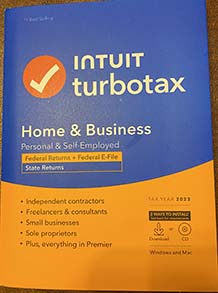

For as long as I can remember, installation and setup is about the same: install from CD, enter your key and register. Of course you can buy a downloadable version and install it online, but I prefer installing from the CD. If you’ve used TurboTax the previous year, it will find your data and use it for the current year taxes. If some of the information has changed, you can update it. I use the step-by-step entry method, and it’s been consistent. And I’ve seen some improvements, but the format looks the same. In recent years, they’ve added more on-screen help features and that comes in handy when you need some answers. As you enter the data, explanations are available by clicking on a button next to the entry box so you can understand what you’re entering and make sure you’re entering the right information. And as you progress through the topics and entries, like personal, business, income and deductions, TurboTax will often ask you to re-visit some of the entries to make sure you’ve got it right. This is a common occurrence as you enter your data. I’ve seen that happen when entering estimated taxes, when you’re asked if the last entry was correct or if you’ve made any online purchases that you did not pay sales tax on. And I like the step-by-step process because I feel that it’s covering everything. When you’re done with all the section topics, they’ll display a menu with all the topics so you can make any changes before going forward. Also, if you need to go back to some of the early sections, you can get to it from the menu at the top of the screen. And if you’d like to look at the actual forms and worksheets, you can pick a form and open it.
Prior to TurboTax it would take me at least 2 weeks working with pencil and paper to complete my forms and then snail mail them. I can finish my taxes in about 2 days, yes 2 days. I do take a break after about 3 hours so I don’t make mistakes. Of course you have to gather the necessary documents that need entering, but two days for my taxes is a comfortable estimate. It’s a far cry from 2 to even 3 weeks of tax preparation before mailing the completed forms. I’m not saying you can’t run into problems, and I have. But it’s generally a mistake on my end. And sometimes, during the final check, TurboTax finds errors that need correcting, but you may not be sure how to fix the error. They will recommend a fix, which is usually simple like entering or verifying an amount. And for the past several years you can populate some of your forms electronically, no entry required, like your W-2s and other banking 1099s by entering the name and tax id of the institution. Of course, you’ll want to double check it.
This year’s tax preparation had almost no surprises. After the final check, no errors were found. However, after installing the software and starting to enter my W-2s and some 1099s, a message popped up warning that I could not enter some of the data because it required updating and TurboTax would e-mail me when it was ready. I’ve never seen that before. But, after I saved the file, logged off and then re-entered the program, it updated, and that warning message was gone and never returned. It’s possible my initial installation caused the problem because it hung up when it was done.
After my final checks passed, I filed both Federal and State electronically; what a relief! In about 2 hours, the Federal tax return was accepted, and a day later the State forms were accepted. If you were at all hesitant about using TurboTax for your tax preparation, just do it! It’s been one of my best decisions of the century.
Resource Links
Blender Open Source 3D Graphics Program
Meshroom Open Source 3D Photogrammetry Program from Alicevision
HB
Casinos in Space
by Howard Berenbon
A novel about a group of scientists who travel with their wives on a starship to a distant planet for gambling and relaxation. While on the ship, they spend their time in a replica of the Las Vegas Strip for gambling, and eat at Las Vegas style buffets and fine restaurants. Paul Erickson, one of the members, reluctantly goes on the vacation because he is grieving the death of his brother from brain cancer. Right from the start, Paul was acting erratic and his friends were concerned. And to their surprise, Paul went missing, nowhere to be found.